
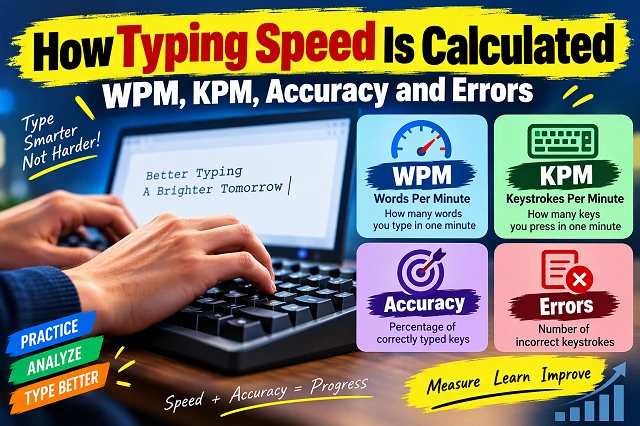
You finish a typing test and the screen shows numbers: gross speed, net speed, accuracy, errors. If you do not know what they mean, you cannot tell why you passed or failed. So the candidate must know Typing terms and speed calculation.
This guide explains the common typing terms, How typing speed is calculated, the formulas used to calculate speed and accuracy, and the rules for counting mistakes, with worked examples you can try yourself.
What is a Keystroke?
A keystroke is a single press of any key on the keyboard. Every letter, number, punctuation mark, space, or special character entered through the keyboard is counted as a keystroke. It includes every key you press during typing test.
How a “Word” is counted in a Typing Test?
In typing tests, a word does not necessarily mean a dictionary word. Instead, a standard word is defined as five keystrokes, including spaces and punctuation marks. This standardization allows fair comparison of typing speed across different passages and languages. The passages can be different in the typing test for the different types of candidate so 5 keystrokes make a fair comparison to calculate a single word count.
What is WPM (Words Per Minute)?
Words Per Minute (WPM) is the most common measurement of typing speed. It represents the number of standard words typed in one minute. WPM is widely used in typing practice platforms, competitive typing tests, and recruitment examinations. And the Words are counted as the 5 keystrokes per word so the counted words will be divided by the duration time to get the acrual WPM.
What is KDPH (Key Depressions Per Hour)?
Key Depressions Per Hour (KDPH) measures the total number of keystrokes made in one hour. Many government departments, banking institutions, and data entry recruitment exams use KDPH as a skill assessment metric.
KDPH = WPM × 5 × 60
What is Gross Speed?
Gross Speed refers to the total typing speed achieved during a typing test without considering any mistakes. It represents the raw typing performance of the candidate. It includes the mistake which is the group of meaningless and meaningful words.
Gross speed = Total words typed (correct and incorrect) ÷ Time in minutes
What is Net Speed?
Net Speed is the actual typing speed calculated after applying deductions for mistakes. It is a more accurate measure of typing proficiency because it takes typing errors into account.
Net speed = (Total words typed − Total mistakes) ÷ Time in minutes
What is Accuracy?
Accuracy is the percentage of correctly typed characters compared to the total characters typed during a test. High accuracy indicates better typing quality and consistency.
- Error characters = Mistakes × 5
- Net characters = Gross characters − Error characters
- Accuracy % = 100 × Net characters ÷ Gross characters
Why your practice scores may differ from the exam?
Practice tools and real exams do not always calculate the same way. Differences can come from:
- Whether spaces and punctuation count
- Weighing half mistakes
- Allowing backspace and editing
- Truncation vs rounding
- Passage length and time
Use a practice tool that follows your exam’s rules, and treat its score as a guide, not a guarantee.
How to use this to improve your score?
- Track net speed, not just gross. Only Correct words determine your actual score.
- Reduce half mistakes. Spacing and punctuation slips add up quickly.
- Never leave a word incomplete. It costs a full mistake.
- Practise on the exam’s passage length and time. A 10-minute test needs stamina.
- Review your errors after each test. Find the pattern, not just the count.
How TYPATHON will help you to improve your skill?
After every timed test, Typathon instantly shows your typing speed and accuracy, helping you identify where you are losing marks and how you can improve. It has live competition, well detailed dashboard, levelwise stories and practice set to adapt the difficulty according to your growth.
FAQs
Gross speed counts everything you typed. Net speed subtracts the penalty for mistakes, so it is always equal to or lower than gross speed.
Five, including spaces and punctuation.
Multiply WPM by 5 for keystrokes per minute, then by 60. For example, 30 WPM is 9,000 KDPH.
Subtract the error characters (mistakes × 5) from the gross characters, divide by the gross characters, and multiply by 100.